


No products in the cart.
Bluetooth Transmitter vs. Receiver: The Travel-Adapter Mistake That Leaves Your Earbuds Silent
You arrive on a flight with your favorite wireless earbuds, settle into your seat, choose a film, and then discover the screen in front of you has a headphone socket but no Bluetooth option.
No problem, you think. You packed a Bluetooth adapter. Then nothing connects. This is one of the most frustrating travel-tech mistakes because Bluetooth adapters can look almost identical while doing completely different jobs.
One sends sound from a device to your earbuds. The other receives sound from your phone and sends it to wired speakers or a car stereo. Buy the wrong one, and your earbuds will remain impressively wireless and completely silent.
A Transmitter Sends Audio to Your Earbuds
For airline entertainment screens, gym machines, older televisions, Nintendo Switch consoles, and other devices with a headphone output, you need a Bluetooth transmitter.
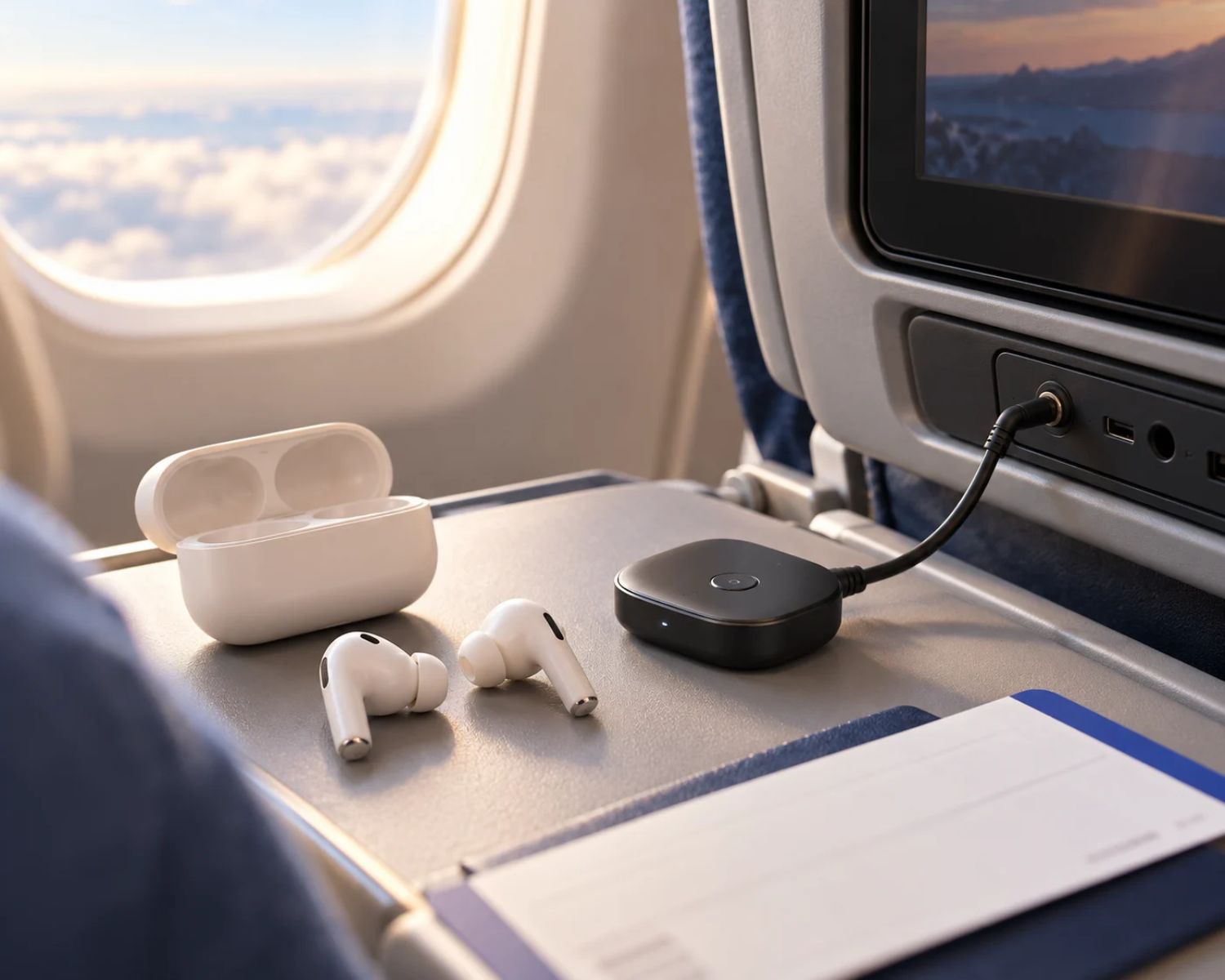
A transmitter takes audio from a 3.5 mm headphone socket, USB-C source, or another compatible output and broadcasts it wirelessly to your earbuds or headphones. In simple terms, it replaces the wired headphones you would normally plug in.
This is the adapter most travelers need for seatback entertainment. You plug it into the screen’s audio port, put the adapter into pairing mode, connect your earbuds, and listen without being attached to your seat by a cable that appears to have survived several decades of airline service.
Some newer aircraft have built-in Bluetooth. In that case, an adapter is unnecessary. However, compatibility varies by airline, aircraft, and even seat, so it is still worth having a backup if you travel often.
A Receiver Does the Opposite
A Bluetooth receiver is for the reverse situation. It receives audio from a Bluetooth source, such as your phone, and sends that sound through a wired connection. People often use receivers to add Bluetooth to an older car stereo, home speaker, or wired headphones.
That can be useful, but it will not connect an airplane screen to your wireless earbuds. A receiver is waiting for sound to arrive from a Bluetooth device. Your seatback screen is not trying to send Bluetooth audio to it, which leaves both devices politely waiting for someone else to make the first move.
Some adapters offer both transmitter and receiver modes. These are flexible, but only if you select the correct mode before pairing. Check the switch or button carefully; it is often marked “TX” for transmitter and “RX” for receiver.
What to Check Before You Buy
The best travel adapter is not necessarily the most expensive one. It is the one that works with the places and devices you actually use.
First, check the connection. Most airline screens use a standard 3.5 mm headphone socket, but some older aircraft have a two-prong socket. If you travel internationally or on older planes, an adapter that includes a dual-prong converter can save you an unexpected bit of silence.
Next, consider battery life. A short flight may not expose a weak adapter, but a long-haul journey will. Choose one that can comfortably last through your expected travel day, and charge it before leaving home. A Bluetooth adapter with no battery is simply a very small piece of luggage.
Low latency is another useful feature, especially for films and games. If the adapter delays the sound slightly, you may see lips move before dialogue arrives. It is not always severe, but it can become impossible to ignore once you notice it.
Finally, check whether it can connect to two sets of headphones. This is useful if you are traveling with someone and want to watch the same screen without sharing a single earbud, which is not a friendship test anybody needs.
Pair Before You Board
Do not make the airplane seat your first experiment. Pair the transmitter with your earbuds at home, then test it with a television, laptop, or any device with a headphone output. Learn how long to hold the pairing button and how the indicator light behaves.
Some adapters automatically reconnect to the last device, while others need to be placed into pairing mode each time.
It is also wise to pack a simple wired backup. Technology is generally wonderful until it decides that the moment you are trapped over the Atlantic is the ideal time for a personality change.
It Is Useful Beyond Flying
A transmitter is not just a travel gadget. It can let you use wireless earbuds with gym treadmills, older TVs, portable game consoles, desktop computers, and audio equipment that has no Bluetooth capability.
For regular travelers and anyone who still uses non-Bluetooth devices, it is one of those small accessories that makes older technology feel less old.
When browsing wireless earbuds through Earbuds4Life, think about where you listen as well as what you listen to. Great earbuds are more useful when they can connect to the devices already in your life.
Final Thoughts
The difference between a transmitter and a receiver is small on the packaging and huge in practice.
If you want an airline screen, television, or gym machine to send sound to your earbuds, choose a transmitter. If you want your phone to send sound to a wired speaker or car stereo, choose a receiver. Remember that one distinction, and your next flight may include both the movie and the sound.
#BluetoothEarbuds #TravelTech #AirlineTravel #WirelessAudio #BluetoothAdapter #HeadphoneTips #Earbuds4Life